
How to Stop Wasting Hours in Slack When Your Team All Uses AI Agents
Instead of spending hours every day relaying context back and forth in Slack, you organize it once — and your teammate's agent picks it up directly. No more forwarding files, no more repeating yourself. The hours you waste in IM become a structured handoff that just works.
The Problem: Context Doesn’t Scale with People
In the age of exploding AI productivity, as a product owner, I constantly face an incredibly frustrating problem: users request new features, and I have my own standards for aesthetics, engineering quality, and product coherence. But my time simply isn’t enough. One feature per week might be manageable — but when you’re staring at 50+ issues a week, even with agents by your side, it becomes overwhelming. I don’t have time to individually design solutions and diagnose problems. Sometimes just reproducing and confirming a single bug eats up an entire afternoon.
But what about delegating to teammates? To ensure the product direction is correct and the design is sound, we need sync meetings or shared documents. Even for a small bug fix, the architect and engineer need thorough communication. In all these situations, I’m constantly plagued by collaboration friction.
And this is exactly what Syncless aims to solve: since we’re all using agents anyway, and since we all find synchronization tedious — why not simply make our agents synchronized from the very start?
Here is a quick demo of how it works in practice:
The Core Concept: Collaboration Templates
There’s a core concept in Syncless called Collaboration Templates. Think about it: when a customer submits a support ticket that requires a new product design, how do we typically handle it?
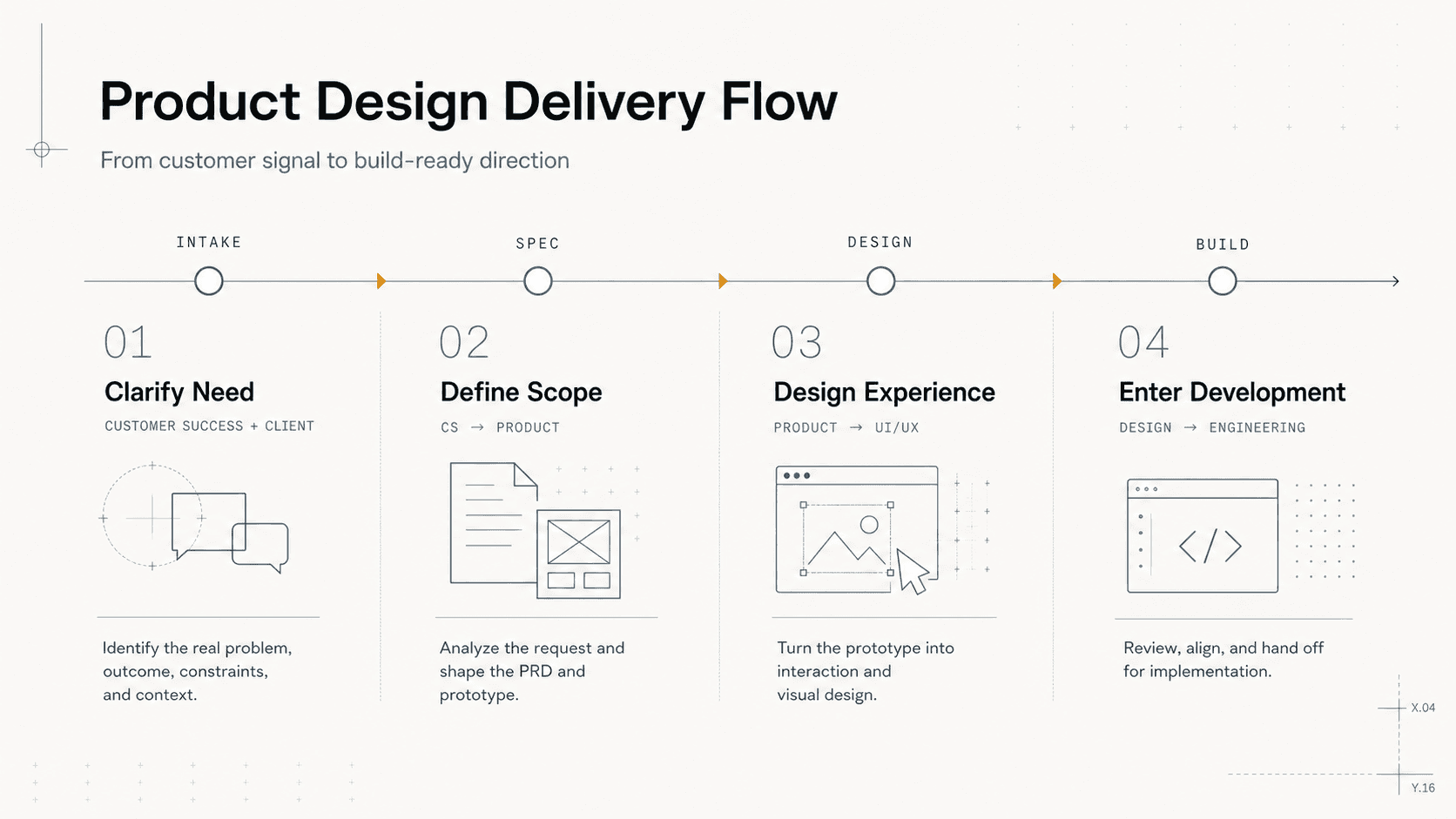
Customer Success talks with the customer until the real requirement is clear — at least understanding what the customer truly needs.
Customer Success reaches out to Product: “I need this feature.” After careful analysis, Product delivers a PRD and prototype.
Product hands off to UI/UX Design and waits for the design deliverable.
Finally, Engineering picks it up and formal development begins.
These steps can be broken down further, and different companies may have different processes. But you’ll notice: this workflow is fixed. Nearly every requirement goes through the same cycle. The inputs and deliverables at each step are clear. And now with AI coding, lossless context handoff has become even more critical.
So why can’t we automate these workflows? Why can’t different people’s different agents handle these context handoffs automatically? What Syncless does is turn these into orchestratable workflows — that’s what a Collaboration Template is.
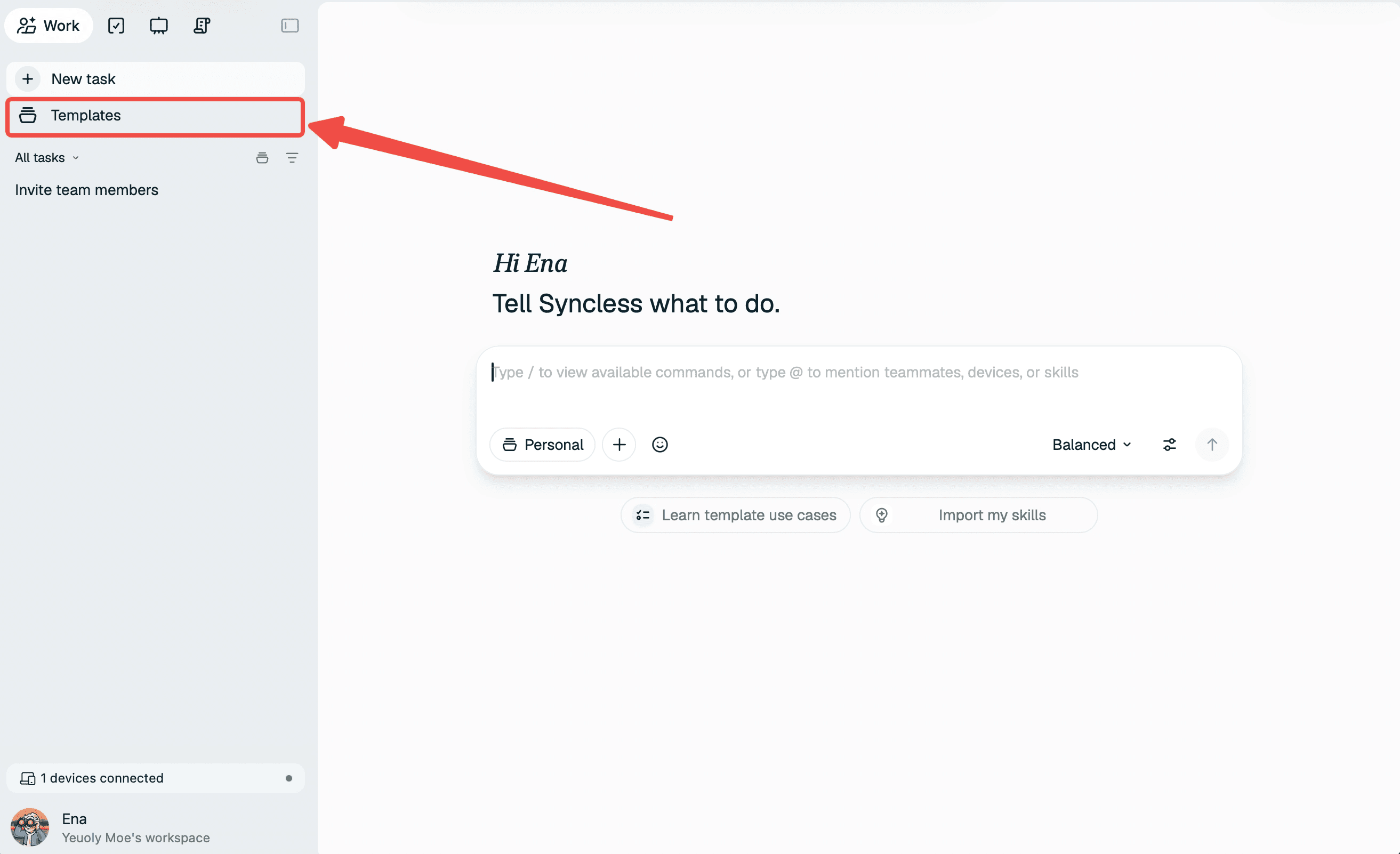
Walkthrough: Building a GitHub Issue Workflow
Let’s take a GitHub Issue handling workflow as an example. Suppose we’re a team maintaining an open-source project with one frontend engineer, one backend engineer, and myself as the product manager and architect. We receive a high volume of bug issues every day.
First, we invite our teammates into Syncless — just tell Syncless to invite them, and wait for them to join.
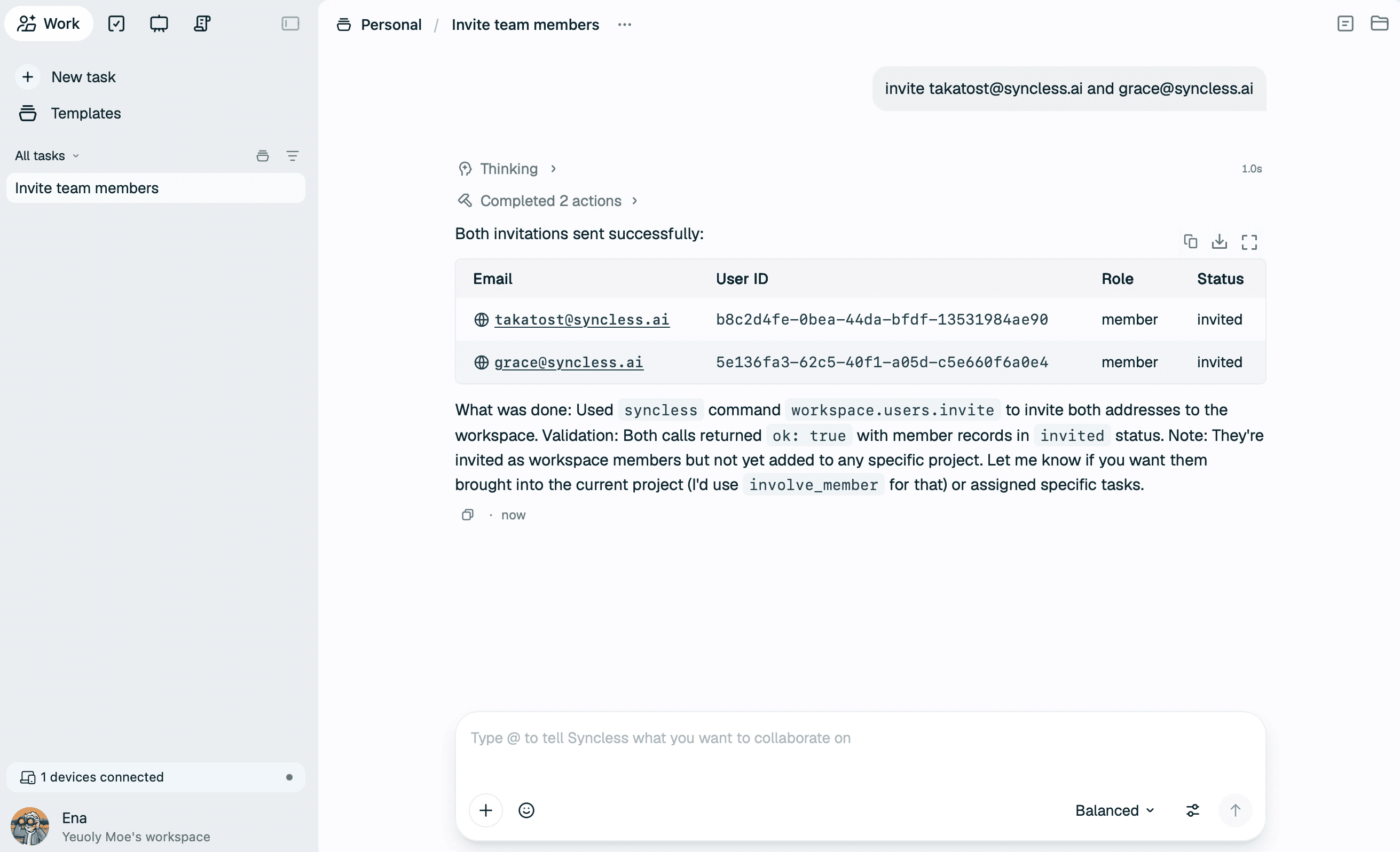
Next, we create the GitHub Issue Collaboration Template. Here’s what we tell Syncless:
Help me create a GitHub Issue collaboration template. Grace is the frontend developer, Takatost is the backend developer, and I am the PM. Our workflow is: when handling an Issue, I first determine the type — if it’s a Feature Request, mark it complete and move on; if it’s a Bug, help me identify the problem, provide a fix plan, write results to cloud:/work/bug/fix.md, ask for my approval, then hand it to Grace and Takatost. Each Project should clone the code into cloud:/work/code so everyone works on the same codebase. Repository: https://github.com/langgenius/dify-sandbox
To refine the workflow, Syncless asks a few clarifying questions. Just answer them one by one.
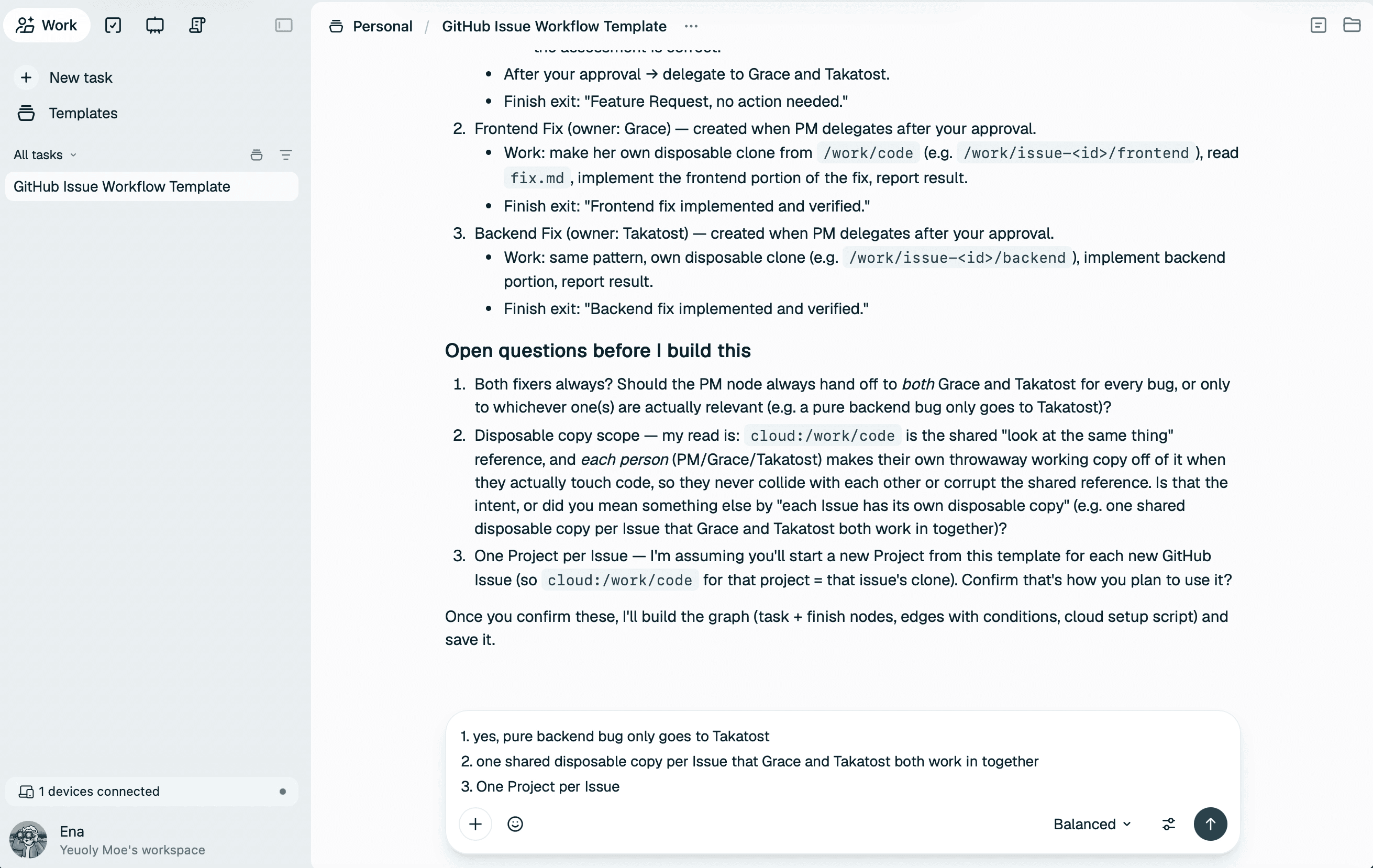
Once fully confirmed, Syncless begins building your workflow. A Workflow Canvas appears on the right side of the conversation.
Setting Up a Sentinel Trigger
The last step is setting up a Trigger for this workflow — a Sentinel that periodically fires it:
Set up a Sentinel that monitors https://github.com/langgenius/dify-sandbox/issues every 30 minutes. If it finds a new issue, launch this Project to process it. Once the Project is running, the Sentinel should immediately trigger the first Node to start working.
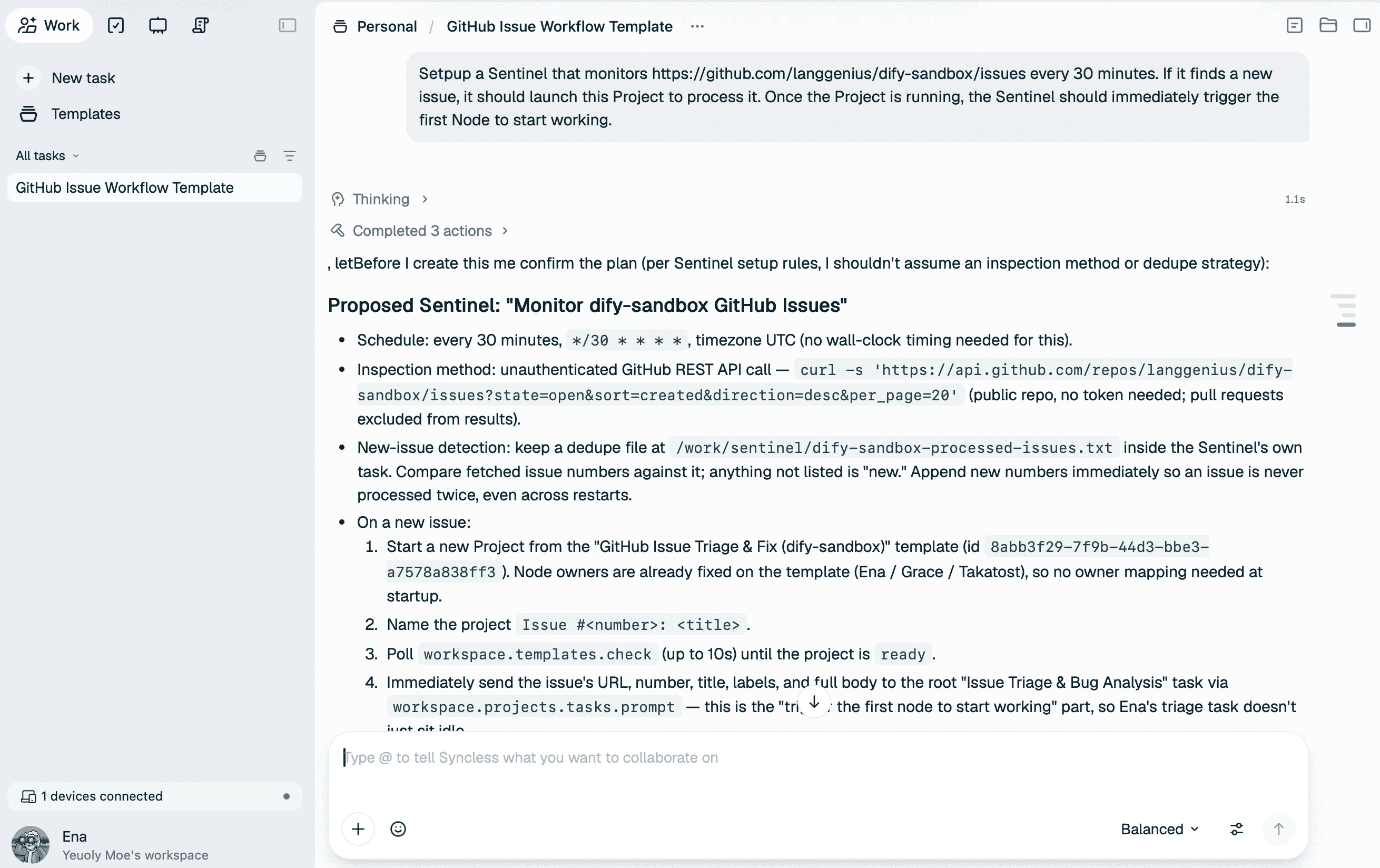
Once confirmed, Syncless creates a Sentinel Agent for you. You can find it in the All Tasks view — it will check the issues list every 30 minutes.
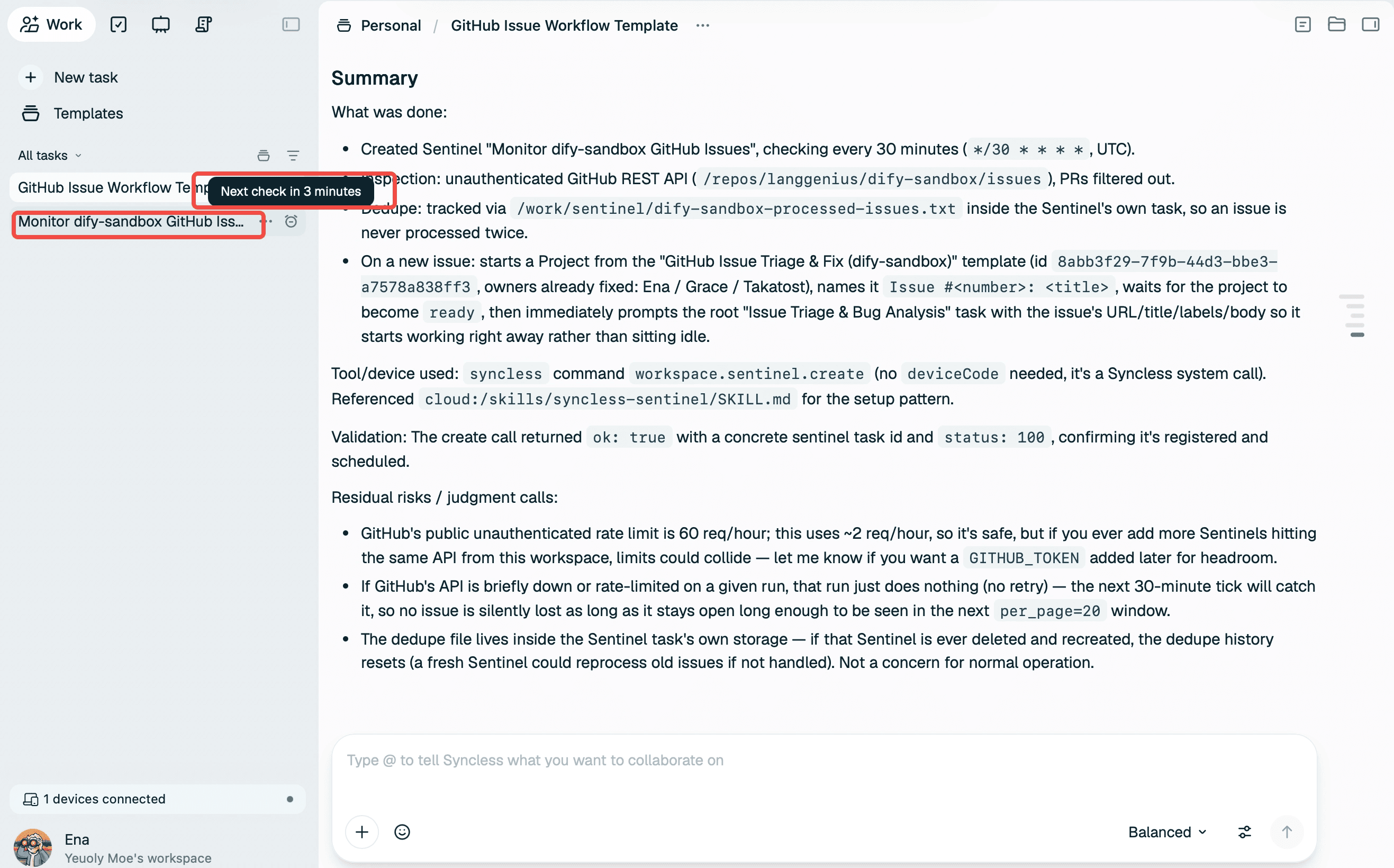
Watching It Run: A Live Demo
Let’s manually trigger it to see how it works.
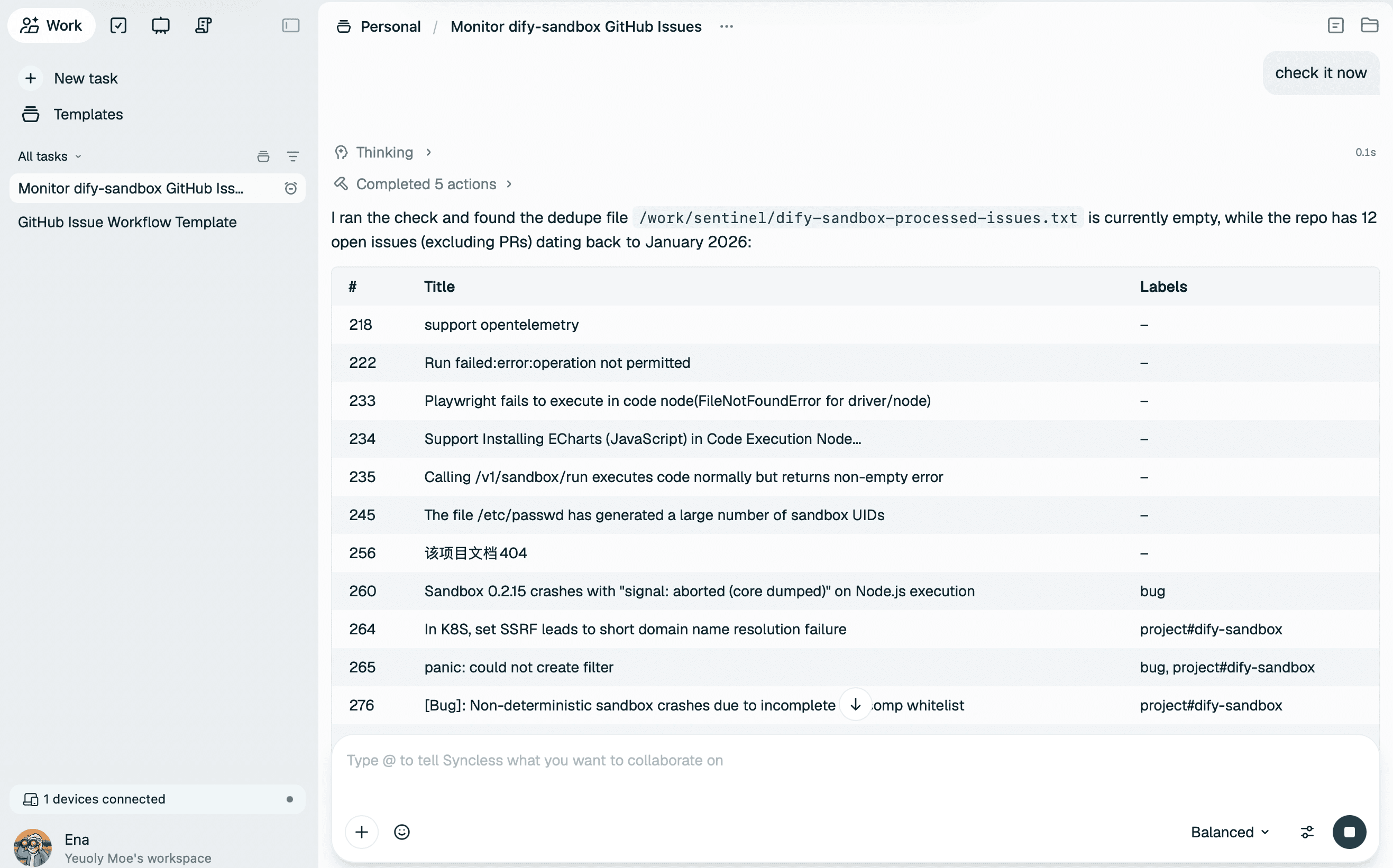
Since this is the first trigger, the Sentinel doesn’t know which issues are “new” — so it asks me where to start. We’ll pick Issue #277, which is clearly a bug, as our demo.
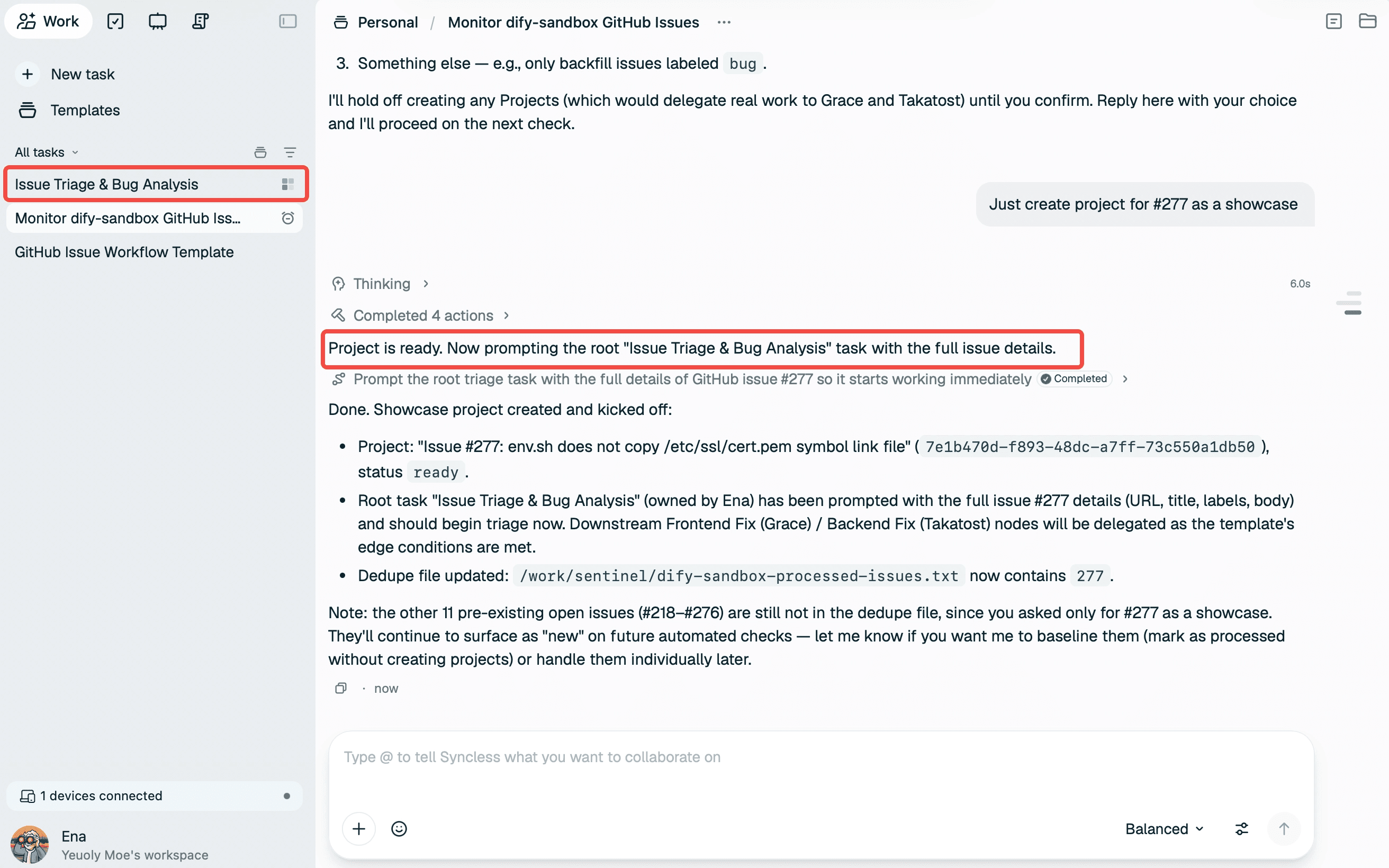
Syncless creates Project “Issue #277” and begins its first step: analyzing the issue.
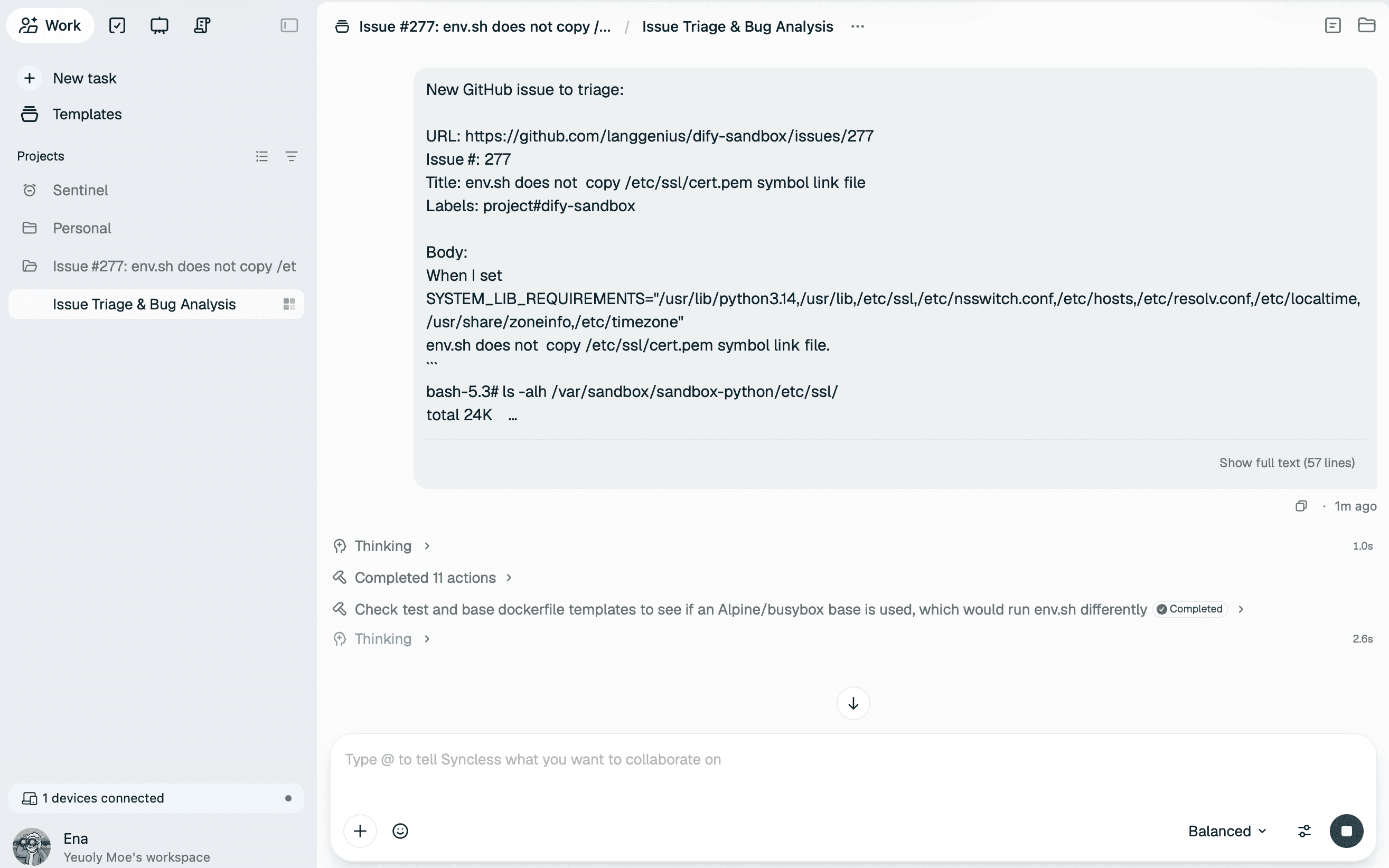
After a while, the analysis completes. It determines this is a backend bug, explains the reasoning, and says the next step should go to Takatost. It asks if I agree. I click Agree to proceed.
Of course, you can also dismiss the dialog and continue discussing with the agent to clarify the issue further — especially useful for complex problems that need several rounds of back-and-forth alignment.
We select Yes. Let’s move to the next step.
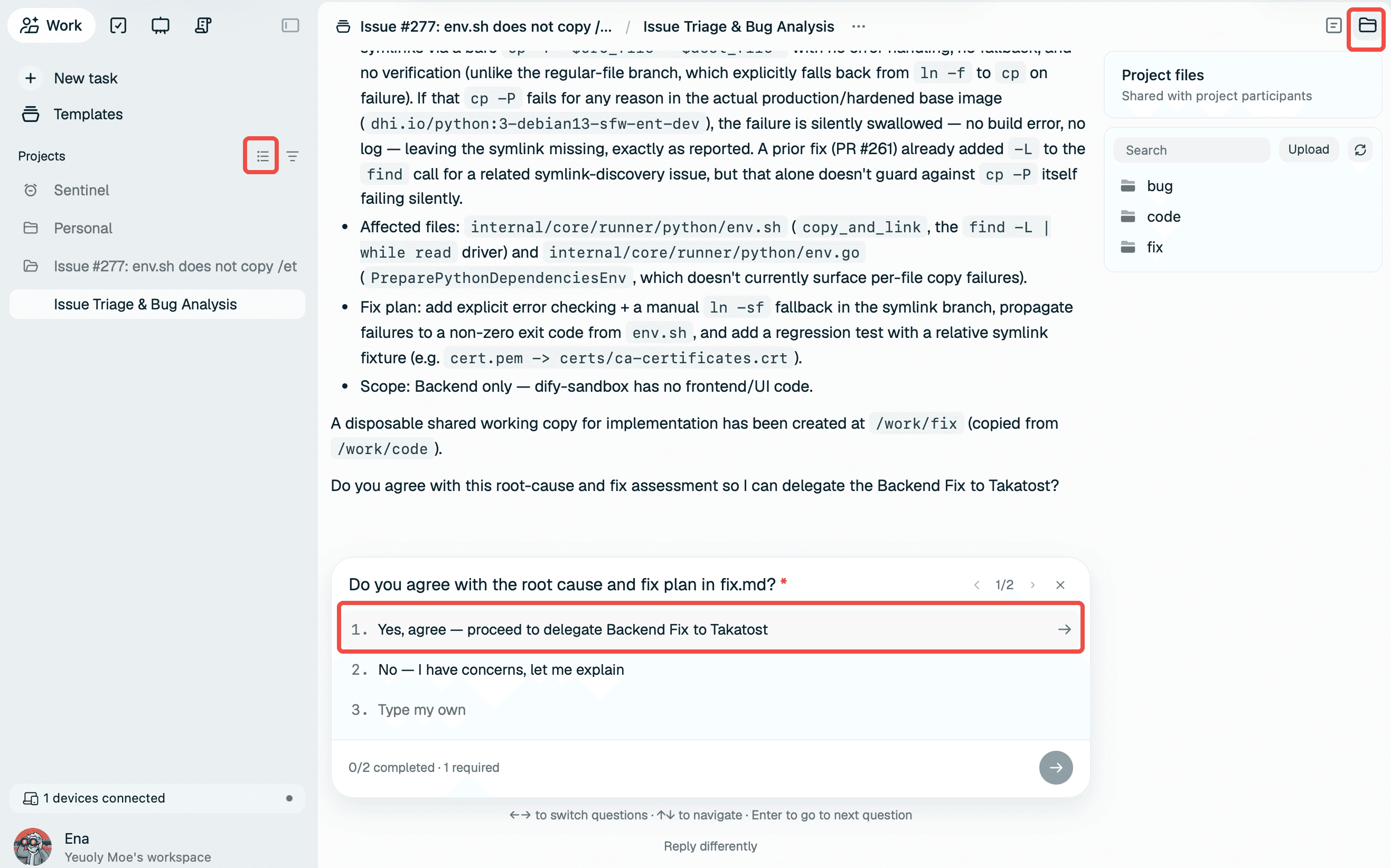
A new Task is created and assigned to Takatost. You can also see the timeline on the Board, clearly showing the project is in motion.
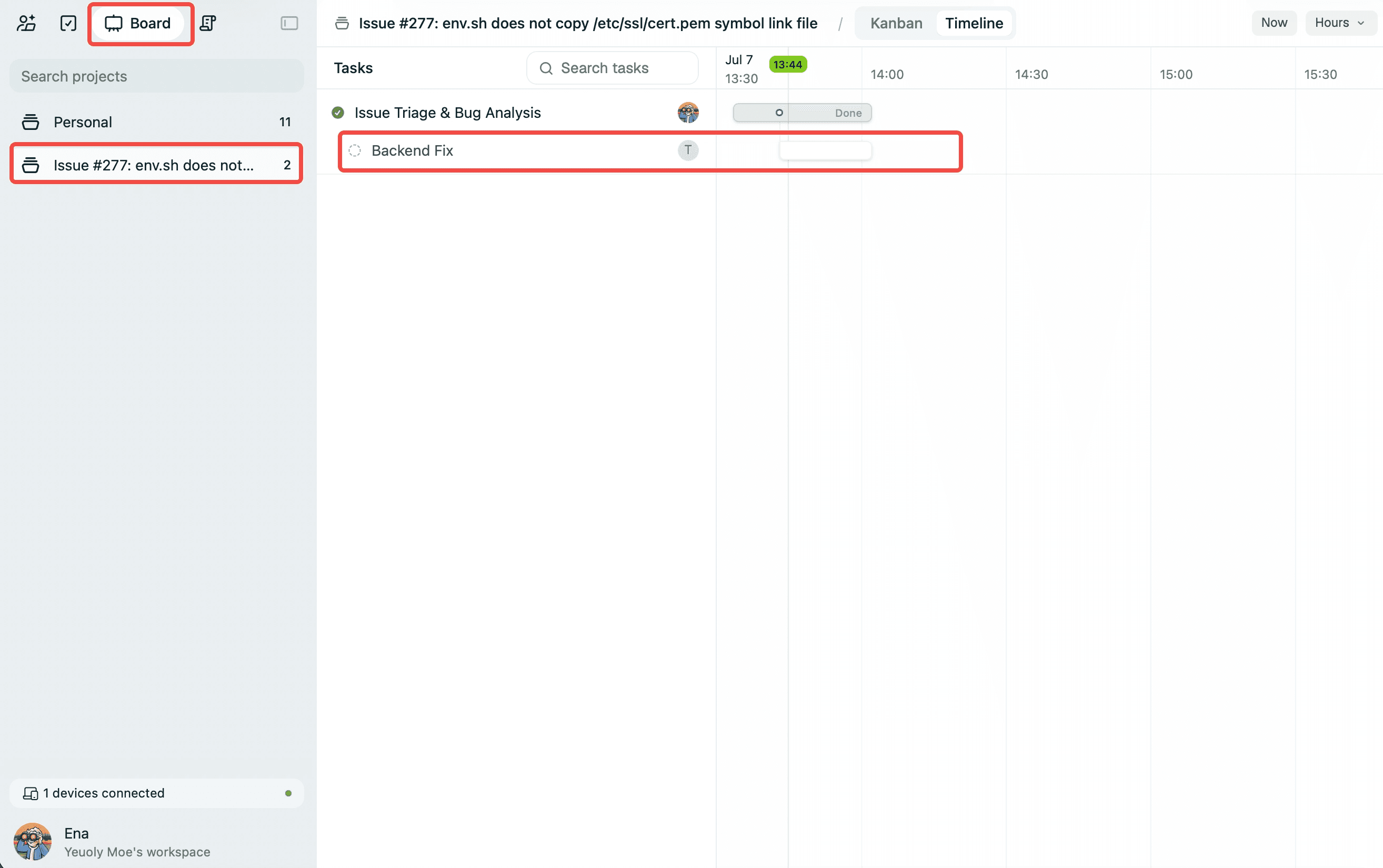
Switching Perspectives: What Takatost Sees
Let’s switch to Takatost’s view to see what happens on his end. He receives a notification — the project already contains all files from the previous step. Takatost can now push the fix forward.
Beyond the Cloud: Connecting Local Machines
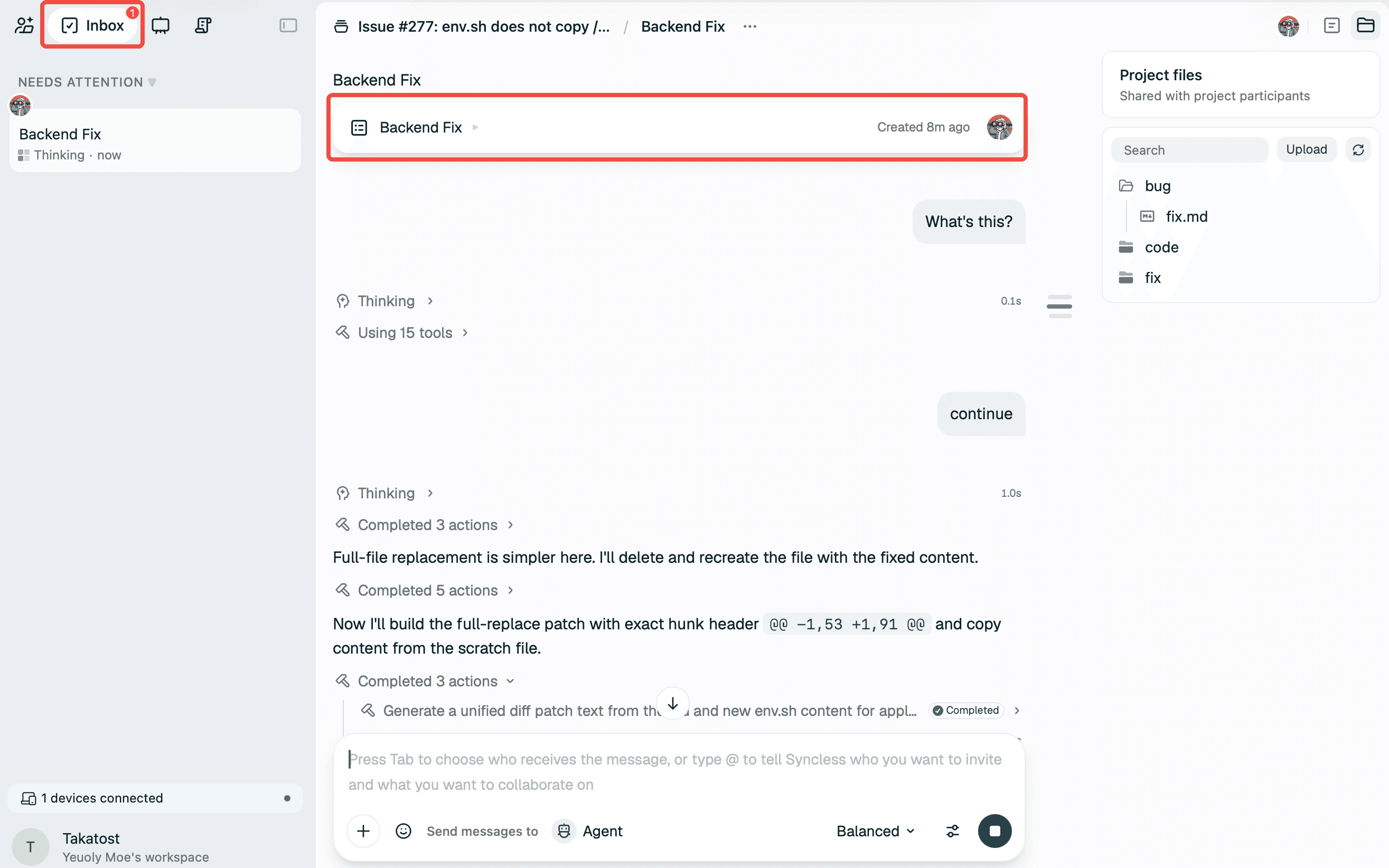
Most of the time, code changes happen on your local machine. If you only have cloud files, it’s hard to validate code directly. In Syncless, this is not a problem — Syncless can connect directly to your MacBook, Windows PC, EC2 instances, or even your Kubernetes cluster, just read this blog for more information. BTW, if you're looking for BYOK, just see this blog :)
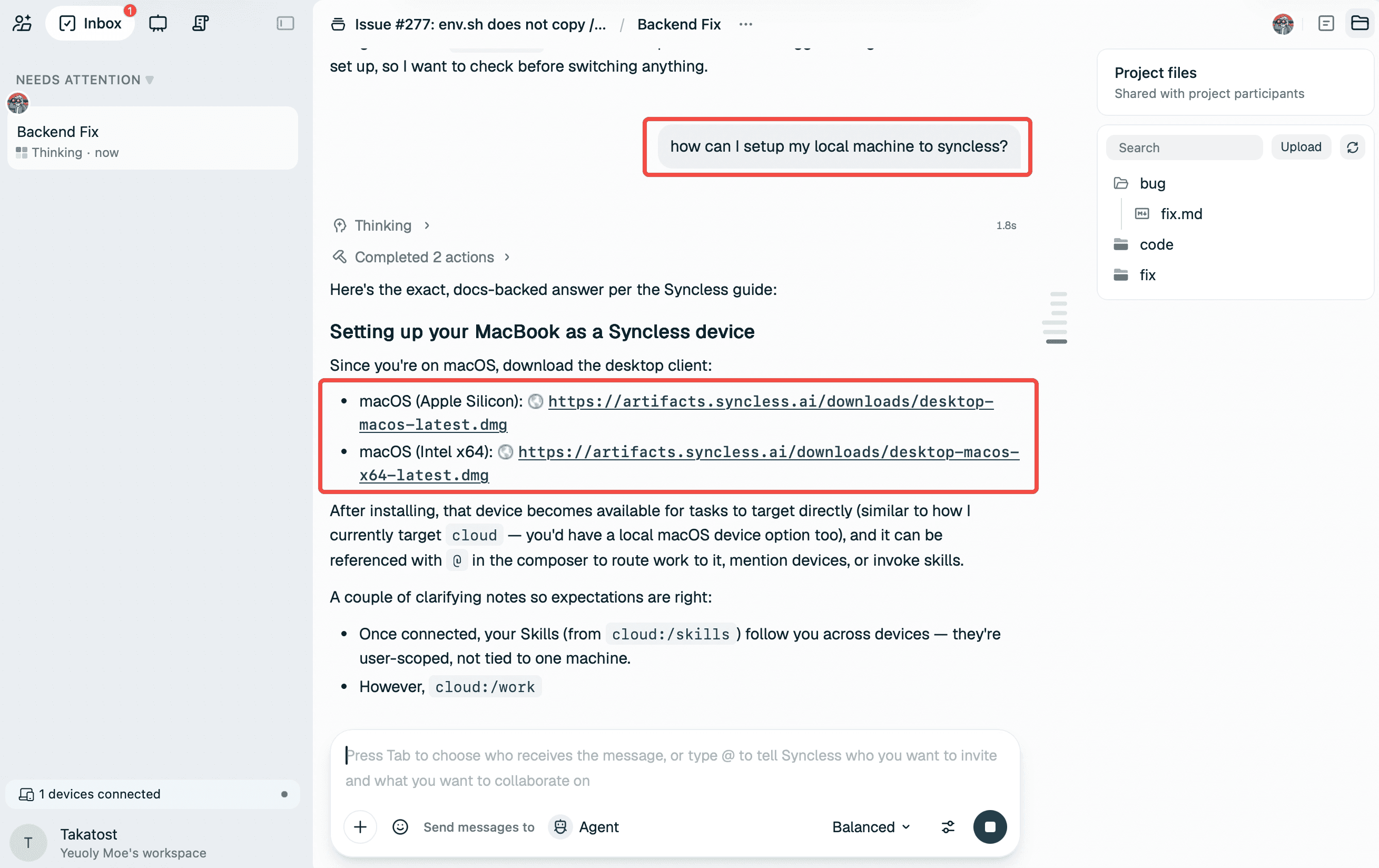
Download the client, connect to Syncless, and you can modify code locally, submit PRs, and much more. You can even operate Syncless from your phone.
In Practice: How Syncless Runs Its Own Issue Workflow
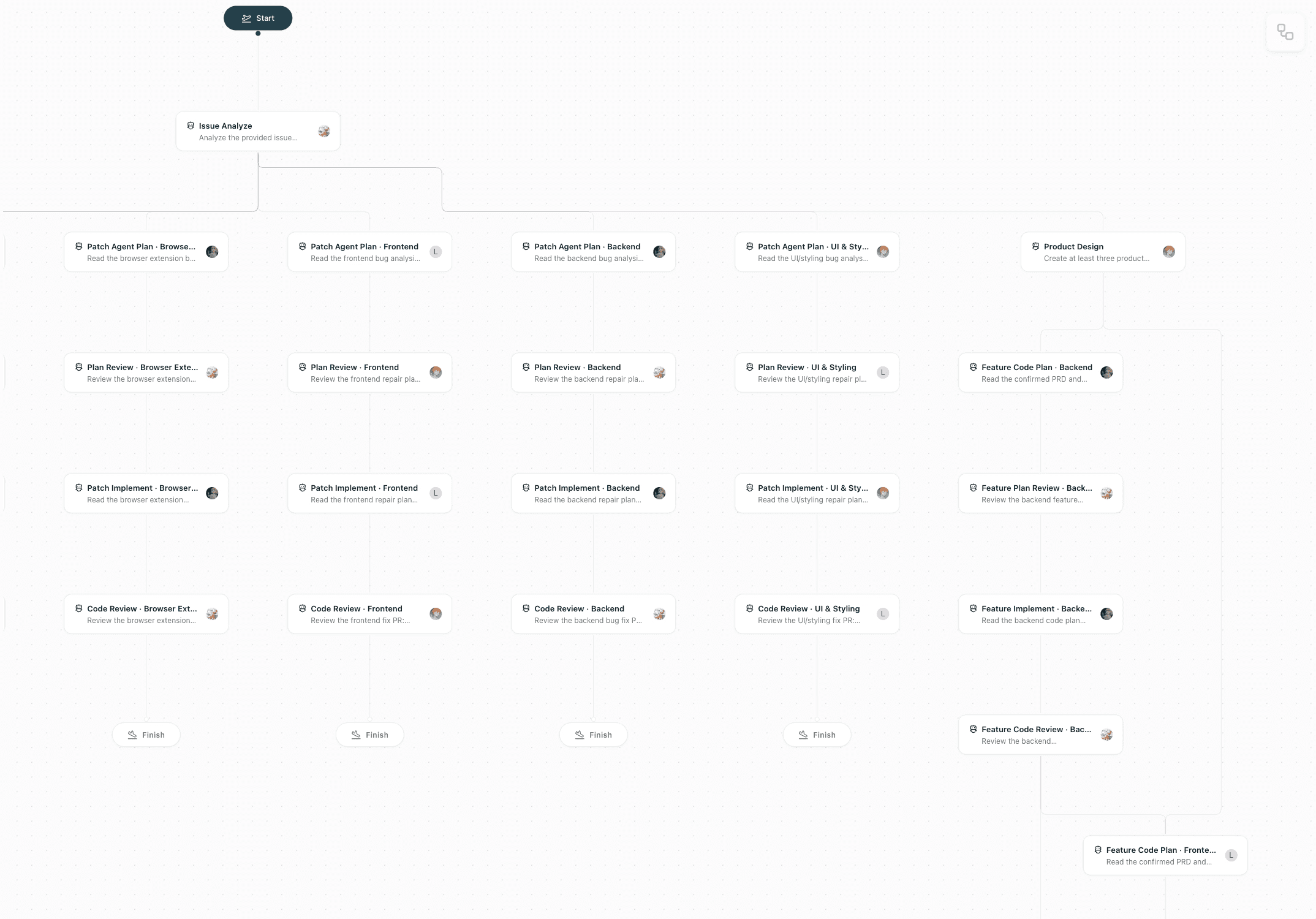
As a reference, Syncless’s own issue maintenance workflow runs inside Syncless itself. It looks something like this — including Plan Review, Code Review, Product Design, and multiple other stages.
Explore More
Visit syncless.ai/blogs to discover more collaboration use cases. We also welcome you to join the Syncless community and explore new possibilities together: discord.gg/vmMuUJD2mG
© 2026 LangGenius, Inc. All rights reserved.