
How to Use One AI Agent Across Multiple Machines at Once
I have over a dozen machines. Each one does something different. And every day, I'm the human clipboard between them. That's why we built Devices.
How to Let Our Agents Sync from Start covered how Syncless synchronizes people. But there's another kind of fragmentation that tortures me every single day — my environments.
I have over a dozen machines. Each one does something different. And every day, I'm the human clipboard between them. I've always wanted my agent to just do things like:
"@Browser open the AWS console and check if there's a new alarm."
"@Macbook read the file at ~/Notes/tax-info and give me my ID number."
"@Staging pull the last 50 lines of /var/log/app.log."
"@Macbook grab the migration SQL from my Desktop. @Staging run it against the test database."
Work that flows across multiple environments, seamlessly. But every remote-control-based agent today can't do this. Especially when your server requires a public IP just to SSH in — or when you're operating a browser but need a file sitting on your local machine at the same time.
In Syncless, you can connect all these machines and tell the agent what each one is for — where your project folders live, what commands are available, which files or skills the agent can reference. Each environment becomes a named, configured resource that any conversation can reach into. You set it up once, and it just works from then on.
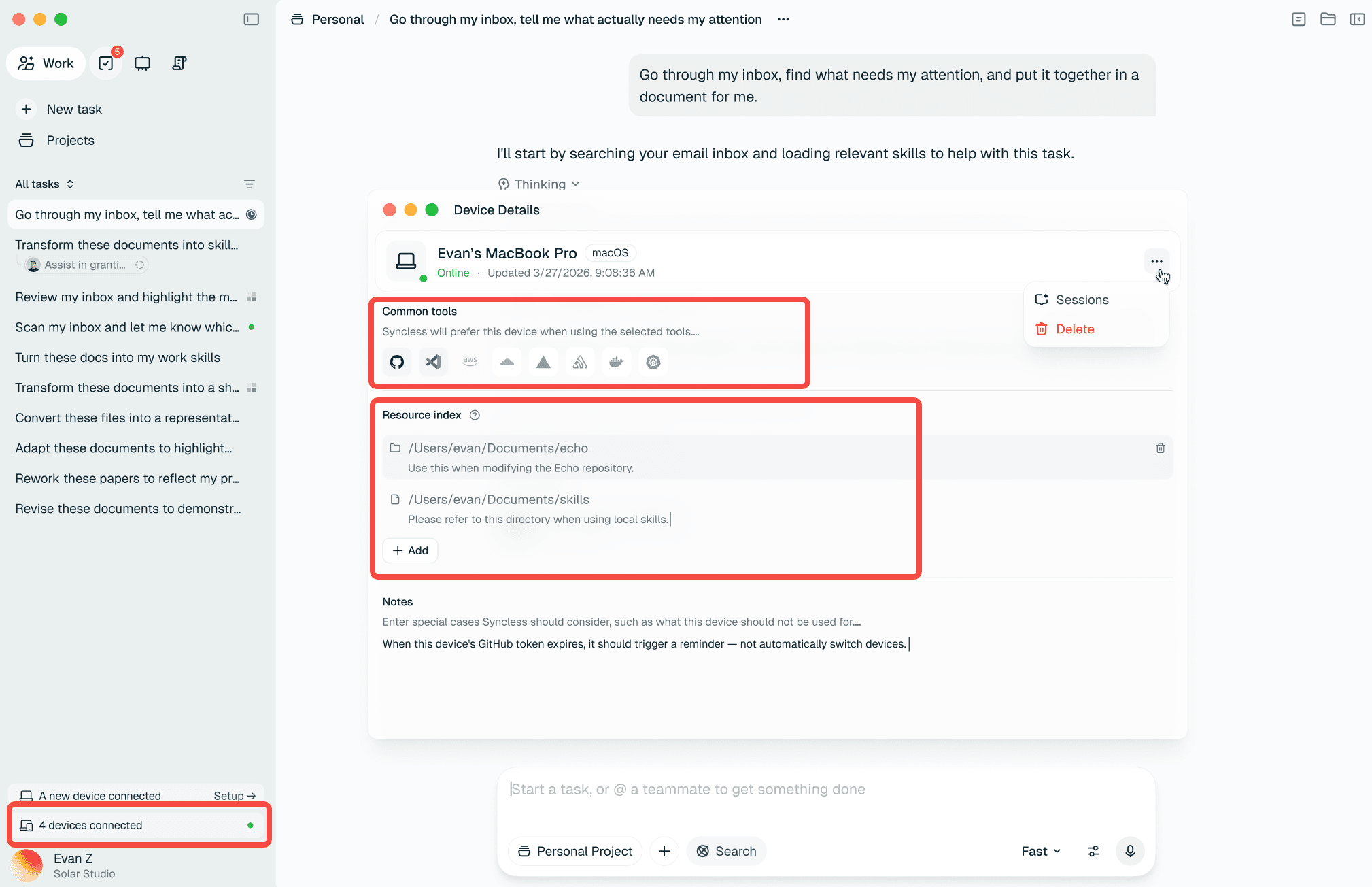
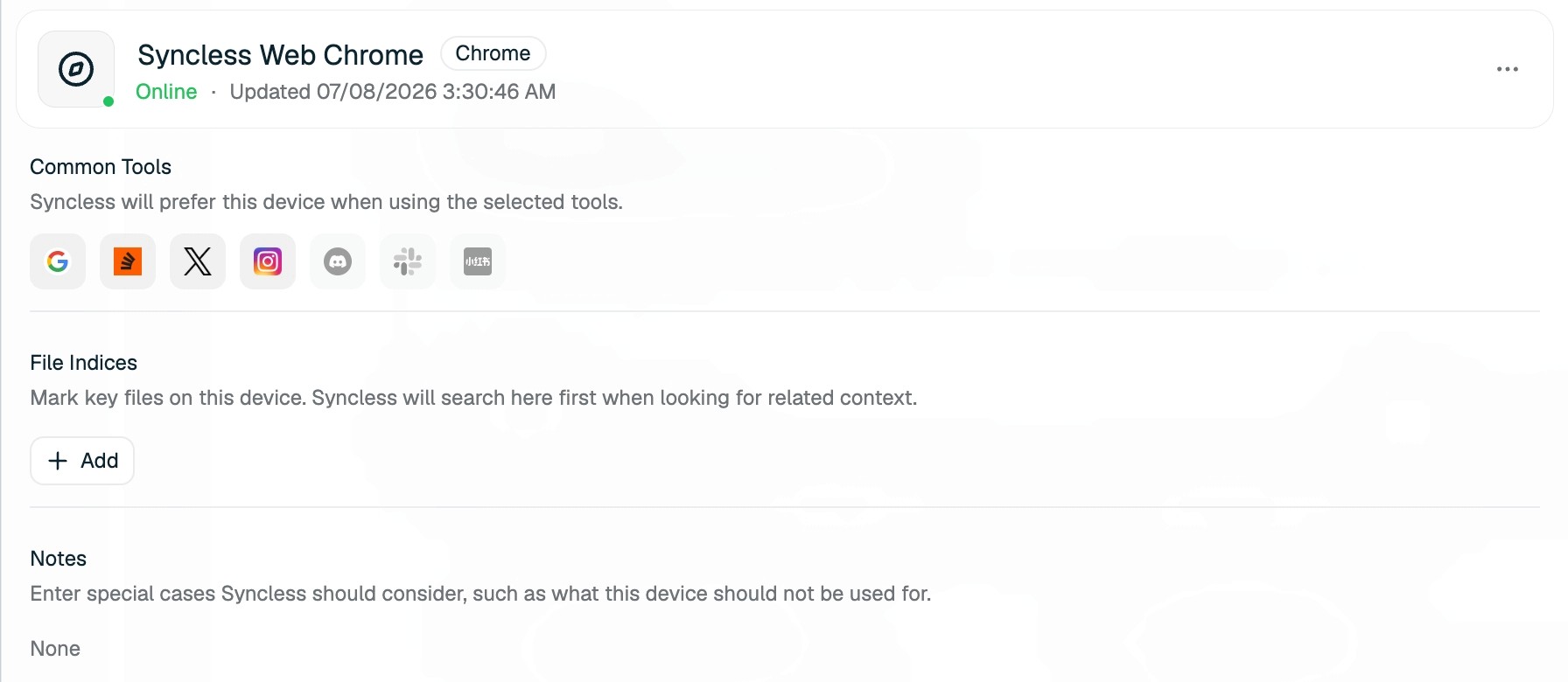
But let me back up and explain why this matters so much.
The Pain
My MacBook is my 24-hour testing environment. Our staging is on AWS. Sometimes I just want to grab a piece of database output from my Mac and throw it into staging to test something. That's it. That's the whole task.
But no agent today can do it — because no agent can touch both machines at once. Sure, maybe you could give your agent SSH keys and kubectl configs and solve it that way. But that means I need a central machine that stores all these credentials. I need to keep my own laptop running 24/7. Every target machine has to be publicly accessible — or I'm setting up SSH tunnels, port forwarding, punching holes through NATs. It's a mess. I don't want to architect a home infrastructure project just to copy a database row from one place to another. I need something that works out of the box.
This is also the most painful limitation I hit with things like Claude Code's remote control. It lives inside one box. One box only. And connecting more boxes means more plumbing that I have to maintain myself.
Here's another one. I keep all kinds of personal information in Apple Notes on my MacBook — addresses, tax IDs, passport numbers. Every time I open some government website or service portal that wants me to fill in a form, I want my agent to just go to my Mac, read the Notes, come back to the browser, and fill everything in. That's not "remote control." That's working across environments. One agent, two completely different worlds, same moment.
These aren't edge cases. This is every day. Browser admin panels, SSH sessions, local files, staging servers, production logs. I used to open a remote desktop tool, screenshot something, switch windows, paste it somewhere else. Over and over. I hated it.
So we built Devices.
What Devices Actually Are
A Device in Syncless is any environment your agent can reach — your browser, your MacBook, a Windows PC, a server, anything.
But the important part isn't that we support multiple types. The important part is this: in a single conversation, every agent loop has simultaneous access to all your connected environments. Not one at a time. Not switching contexts. All of them, together, in the same turn.
So when I say "read my Notes on my MacBook, then fill this form in my browser" — that's one turn. The agent reaches into my Mac, grabs the text, turns to the browser, fills the fields. Done. No remote desktop. No screenshots. No copy-paste. No SSH tunnel. No credential vault. You just connect your devices once, and they're there for every conversation going forward.
Connect Your Stuff
Setting this up takes about two minutes. No infrastructure. No port forwarding. No public IP required.
Server
In the bottom-left corner of Syncless, you'll see something like "2 devices connected." Click it, choose Connect Server, and you'll get a command.
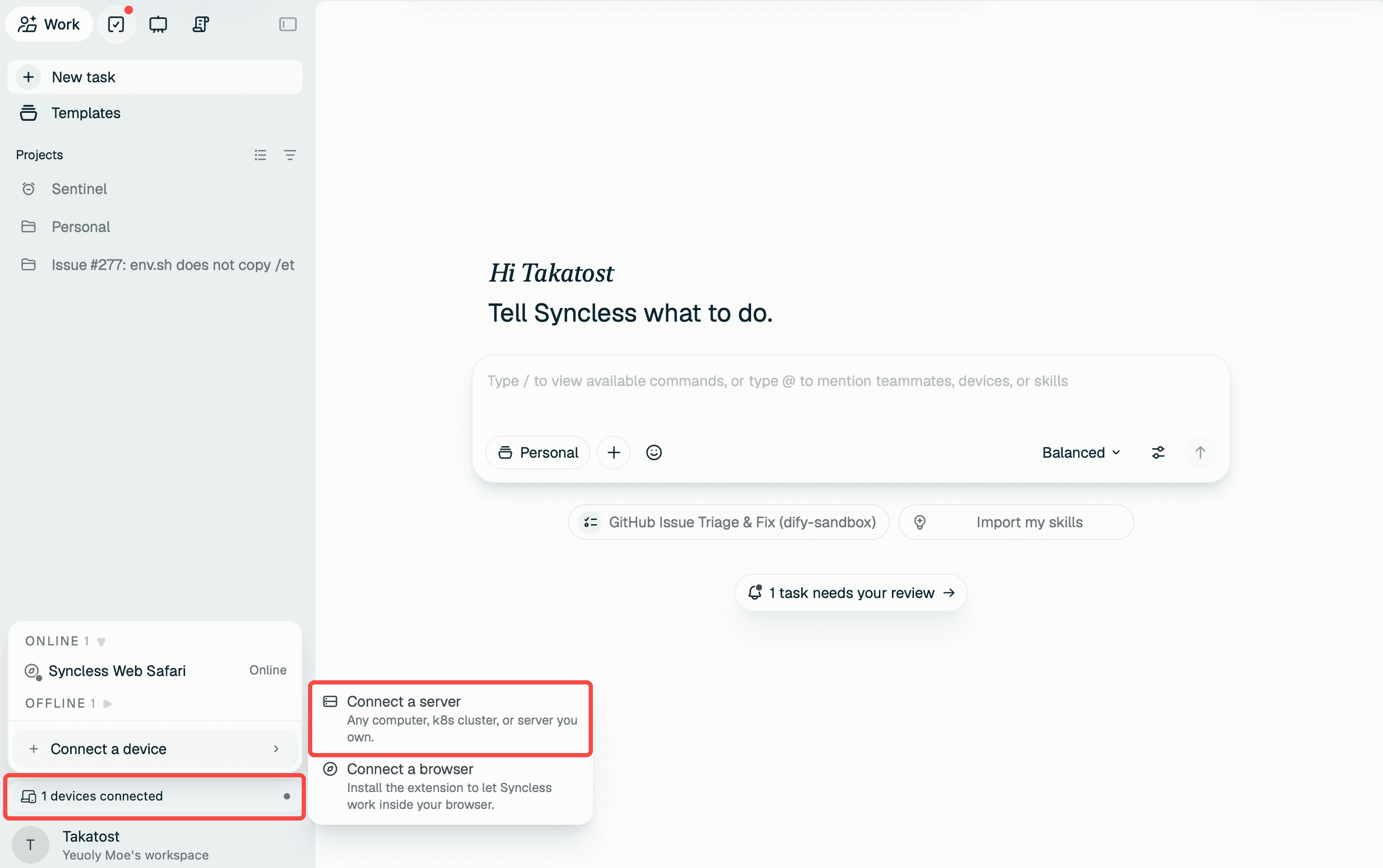
Paste that into your server terminal. It connects in seconds. Doesn't matter if it's behind a firewall, in a private subnet, whatever. That's the whole setup.
Mac or Windows
Download the desktop client and open it. macOS Apple Silicon · macOS Intel · Windows
Log in, and your machine is connected.
Browser
Download the extension zip, go to chrome://extensions or edge://extensions, turn on Developer mode, unzip, click Load unpacked, pick the folder. Then log in inside the extension popup.

Just @ It
Once your devices are online, you use them the same way you'd mention a teammate. Type @, pick your device, and tell it what to do.
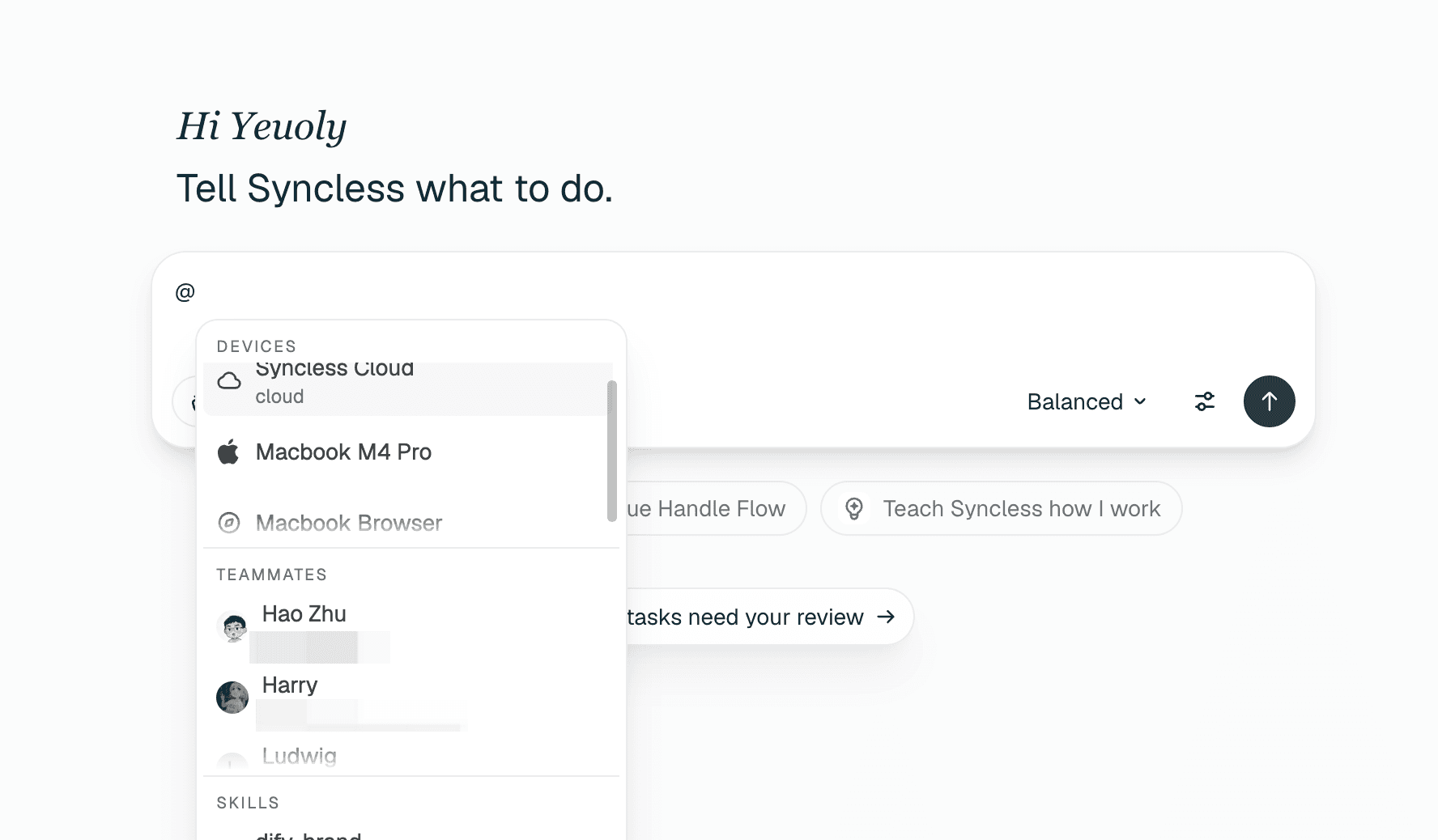
One message, multiple machines. The agent does the work, comes back with results and evidence. You stay where you are.
This is what we mean by working across environments. Not one machine controlled from afar — all your machines, working together, orchestrated by an agent that sees everything at once. No SSH plumbing, no credential management, no always-on central server. Just connect and go.
If you haven't read it yet — How to Let Our Agents Sync from Start covers the people side of the story.
© 2026 LangGenius, Inc. All rights reserved.